Design Desk
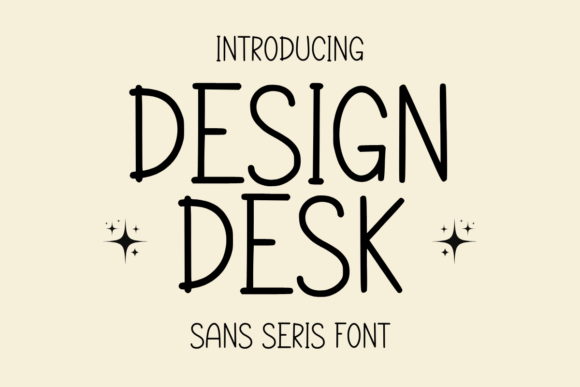
Design Desk isn’t just another handwritten font—it’s a carefully crafted sans serif typeface that balances whimsy with readability, warmth with structure. Its gentle, consistent stroke weight and open letterforms make it feel personal without sacrificing clarity. Whether you're sketching ideas in a bullet journal, designing printable planners for Etsy, or crafting heartfelt greeting cards for clients, Design Desk invites readers into a quiet, thoughtful space—like notes passed between friends rather than corporate memos.
That said, many creators jump into using Design Desk without fully understanding its strengths—or its limits. A few oversights can turn what should be an expressive, cohesive design choice into something that feels inconsistent, hard to read, or even unintentionally unprofessional.
Assuming It Works Like a Standard Sans Serif
Because Design Desk is classified as a “handwritten sans serif,” some users expect it to behave like Helvetica or Inter—scalable at any size, crisp in small body text, and highly legible in dense paragraphs. But it’s not built for long-form reading. Its charm lives in medium-to-large sizes (16pt and up) and generous line spacing. Using it for 10pt captions, footnotes, or multi-page workbooks without testing first often leads to visual fatigue and reduced comprehension.
Better approach: Reserve Design Desk for headings, titles, short quotes, labels, and decorative elements. Pair it with a clean, neutral companion font (like Lato, Nunito, or Source Sans Pro) for body text. In KDP interiors or digital planners, use Design Desk only where personality matters most—not where function does.
Overlooking Licensing for Commercial Use
Design Desk is frequently offered through marketplaces like Creative Market or independent foundries—and licensing varies widely. Some versions are free for personal use only; others require extended licenses for printables sold on Etsy, teacher resources distributed via TPT, or branded content for small businesses. Assuming “free download = free to sell with” is one of the most common—and costly—mistakes.
A freelance educator once used Design Desk across 30+ printable lesson plans, only to receive a copyright notice after listing them on Teachers Pay Teachers. She hadn’t checked whether her download included commercial rights—or if redistribution (even in flattened PDFs) was permitted.
What to check before downloading: Read the license file, not just the product description. Look for explicit terms around “commercial use,” “digital resale,” “SaaS integration,” and “KDP/Amazon publishing.” When in doubt, contact the designer directly—or choose a version with a clear, permissive license like SIL Open Font License (OFL), if available.
Ignoring Kerning and Spacing Adjustments
Like many expressive handwritten fonts, Design Desk includes thoughtful default kerning—but it’s not universal. Letters like A, V, W, and T often need manual adjustment when set in all-caps headlines or tight wordmarks. Auto-kerning in Canva or PowerPoint rarely catches these nuances, leading to awkward gaps or crowded clusters that undermine the font’s natural rhythm.
Practical fix: In Adobe Illustrator or Affinity Designer, enable optical kerning and then review each headline manually. For quick fixes in Google Docs or Word, increase character spacing slightly (0.5–1.0 pt) instead of relying solely on default settings. And avoid ALL CAPS unless you’re willing to fine-tune every pair.
Misjudging File Formats and Compatibility
Design Desk is typically delivered as OTF or TTF files—but not all platforms support both equally. Some web-based tools (like certain versions of Cricut Design Space or older Canva templates) render TTF more reliably, while OTF offers better language support and stylistic alternates. If you’ve downloaded the OTF but your planner template only loads TTF, you’ll hit a wall fast.
Also worth noting: Not all Design Desk variants include full Unicode coverage. Basic Latin characters? Yes. Extended diacritics (for Spanish, French, or Vietnamese)? Sometimes. Greek or Cyrillic? Rarely. If your audience uses multilingual content—even just accented names on wedding invitations—verify glyph coverage before finalizing layouts.
Skipping Real-World Testing Before Launch
It’s tempting to finalize a journal cover or printable bundle based on how Design Desk looks on your high-res monitor. But screens lie. What reads beautifully at 100% zoom may blur on a low-DPI printer, soften on matte paper stock, or vanish entirely on a phone screen viewing a PDF thumbnail.
Try this before publishing: Print a test page at actual size on your target paper (e.g., 70lb matte for planners). Open your PDF on two devices—a tablet and a smartphone—and scroll slowly. Ask someone else to read three lines aloud. If they pause, squint, or misread a word, the font size or contrast likely needs adjustment—not the font itself.
Underestimating How It Pairs With Color and Texture
Design Desk shines against soft, tactile backdrops: watercolor washes, linen textures, cream paper, or muted pastels. But place it over busy patterns, high-contrast gradients, or neon backgrounds, and its delicate energy gets lost. One small business owner launched a line of gratitude journals using Design Desk on vibrant geometric covers—only to find customers describing the text as “hard to connect with” or “distracting.”
Simple rule: Let Design Desk breathe. Use ample margin space, subtle shadows, or light outlines only when necessary. When layering over photos or textures, reduce opacity or add a semi-transparent white overlay beneath the text—not behind it—to preserve legibility and mood.
Final Thought: Choose Intentionally, Not Impulsively
Design Desk earns its popularity because it delivers something rare: authenticity without chaos, playfulness without clutter. But like any thoughtful tool, it rewards attention—not just installation. Taking five extra minutes to verify licensing, test spacing, preview output, and align usage with your audience’s real-world context makes all the difference between a charming detail and a missed opportunity.
Use it where warmth matters most. Respect its boundaries. And let it do what it does best—not replace function, but elevate feeling.