Blush Bloom: A Playful Sans-Serif That Works—When Used Thoughtfully
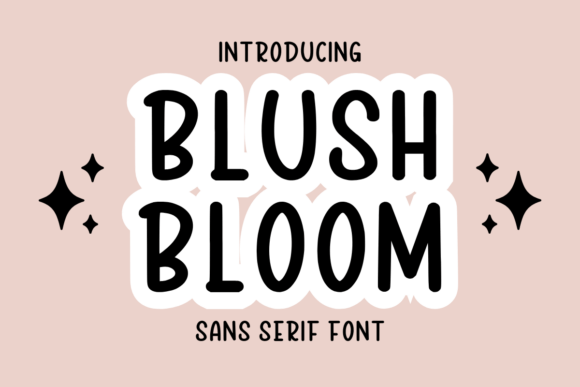
Blush Bloom is a friendly, rounded sans-serif font with gentle curves and consistent spacing—designed not just to look charming, but to perform well across real-world applications. Whether you’re crafting printable planners for Etsy, designing classroom handouts, laying out a KDP workbook, or personalizing wedding invitations, Blush Bloom adds warmth without sacrificing legibility. Its open letterforms and balanced x-height make it surprisingly versatile for both headings and body text—at sizes as small as 10 pt in printed journals or as large as 48 pt on greeting cards.
Assuming It’s “Just Cute”—And Overlooking Where It Actually Shines
Many designers download Blush Bloom expecting it to replace all their fonts—only to discover it struggles in dense paragraphs, data-heavy tables, or long-form digital reading. That’s not a flaw; it’s a design intention. Blush Bloom wasn’t built for legal disclaimers or multi-page policy documents. It thrives where tone matters more than density: teacher feedback stickers, habit tracker headers, handwritten-style journal prompts, or playful section dividers in a printable budget planner.
A common misstep? Using it for full-page KDP interiors without testing print contrast or line spacing. One educator shared how her student reading log—set entirely in Blush Bloom at 11 pt—came back from the printer with faint, blurry text because the light weight didn’t hold up on uncoated paper. The fix wasn’t switching fonts—it was pairing Blush Bloom for titles and subheads with a clean, sturdy companion (like Lato or Inter) for body copy. That combination preserved personality *and* readability.
Downloading Without Checking Licensing—Especially for Commercial Use
Blush Bloom is often offered in free trial versions or bundled sets—but those files rarely include commercial licenses. If you’re selling Canva templates, creating Notion dashboard kits, or licensing printable calendars through Creative Market, using an unlicensed version risks takedowns, lost income, or client disputes. Worse, some sites mislabel “free for personal use” as “free forever,” omitting that commercial rights require a separate purchase.
Before downloading, always check three things: the license type (personal vs. extended), permitted outputs (digital downloads? physical prints? resale?), and attribution requirements. Reputable sellers clearly list these—not buried in fine print, but in the product description or FAQ tab. If it’s unclear, assume it’s *not* cleared for your use case—and reach out directly before investing time in mockups.
Mistaking “Playful” for “Unprofessional”—And Missing Its Strategic Value
Some educators and small business owners avoid Blush Bloom entirely because they equate rounded sans-serifs with “too casual.” But tone isn’t about age—it’s about alignment. A kindergarten progress report benefits from approachability; a therapy journal encourages openness; a boutique’s seasonal planner invites engagement. Blush Bloom supports those goals precisely because it feels human—not sterile, not stiff, not overly decorative.
The key is context, not category. Compare two versions of a weekly meal planner: one set in a rigid monospace (hard to scan, emotionally neutral), another using Blush Bloom for day headers and a soft serif for ingredient lists. Testers consistently rated the second as “easier to start,” “more inviting to fill out,” and “less overwhelming”—even though the content was identical. Personality in typography isn’t frivolous. It’s functional.
Skipping Kerning and Spacing Adjustments—Especially in All-Caps or Tight Layouts
Blush Bloom includes thoughtful default spacing, but automatic kerning doesn’t always handle every pair—especially in short, high-impact uses like “SALE” banners, “NEW” badges, or initials in monogrammed stationery. Without manual tweaks, letters like A, V, and W can appear awkwardly spaced, undermining polish.
For example, a freelance designer used Blush Bloom for a set of printable gratitude cards—setting “THANK YOU” in all-caps at 36 pt. In preview, the spacing looked fine. Printed? The T and H clashed visually, making the word feel cramped. She fixed it in under two minutes by adjusting tracking to +20 and fine-tuning the A–N and N–K pairs. Most design tools (Canva, Affinity, Illustrator) let you adjust these values per line—no need for advanced typography knowledge.
Overlooking File Formats and Compatibility
Not all Blush Bloom files behave the same way. The OTF version gives full OpenType features (stylistic alternates, ligatures) in professional apps—but may not load correctly in older versions of PowerPoint or basic PDF editors. The TTF version is more universally compatible but lacks those extras. And webfont versions (WOFF/WOFF2) are essential for live websites—but useless for printables unless embedded properly.
If you’re building a Shopify store with branded downloadable guides, confirm you have both the desktop font (for design) *and* a web-optimized version (for preview images or embedded PDF links). Don’t assume the zip file contains everything you’ll need across platforms—check the contents list before purchasing.
Testing Too Late—Or Not at All
Font performance changes dramatically depending on output method: screen resolution, paper stock, ink saturation, even monitor calibration. A Blush Bloom header that pops on your MacBook may fade on a customer’s low-DPI printer. A to-do list that feels crisp in Procreate might blur when exported as a PNG for Instagram Stories.
Always test early and in context: Print a sample page of your planner on the exact paper you’ll use. Export a snippet of your Canva template as a PDF and open it on a phone. Paste a greeting card layout into a free PDF viewer and zoom to 200%. If any text feels thin, uneven, or hard to parse—even for just a few seconds—you’ve spotted a usability gap before launch.
Before You Commit: Four Quick Checks
- Licensing scope: Does it cover your intended use—especially resale, SaaS integration, or white-label products?
- Weight variety: Does the family include at least Light, Regular, and Bold? (Crucial for hierarchy in workbooks or lesson plans.)
- Language support: If you serve multilingual audiences (e.g., Spanish-speaking parents or bilingual classrooms), verify extended Latin characters are included.
- Real-world samples: Look beyond the seller’s hero image—find user-uploaded previews on marketplaces or social tags like #BlushBloomPlanner to see how others actually apply it.
Blush Bloom isn’t a shortcut—it’s a tool with quiet intelligence. It works best when you match its strengths to your goals, respect its boundaries, and test with intention. Whether you’re launching your first digital product or refreshing classroom materials, choosing thoughtfully means your designs don’t just look good—they connect, communicate, and endure.